Delete Your Konnect Account
Follow the simple steps below to permanently remove your account and all associated data from our application.
Account Deletion Process
Complete these 3 simple steps to request permanent deletion of your account and data.
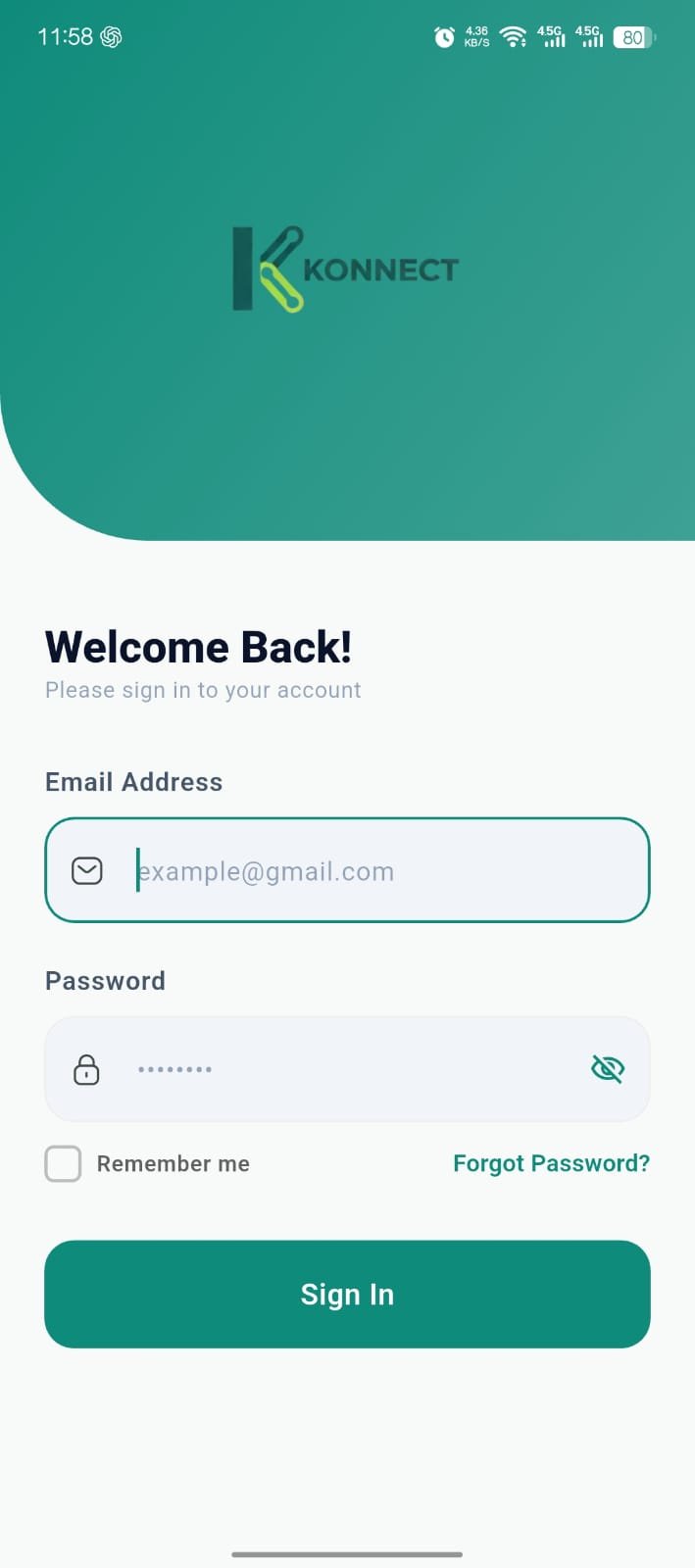
Open App
Login to your account and open the profile or account settings section inside the app.
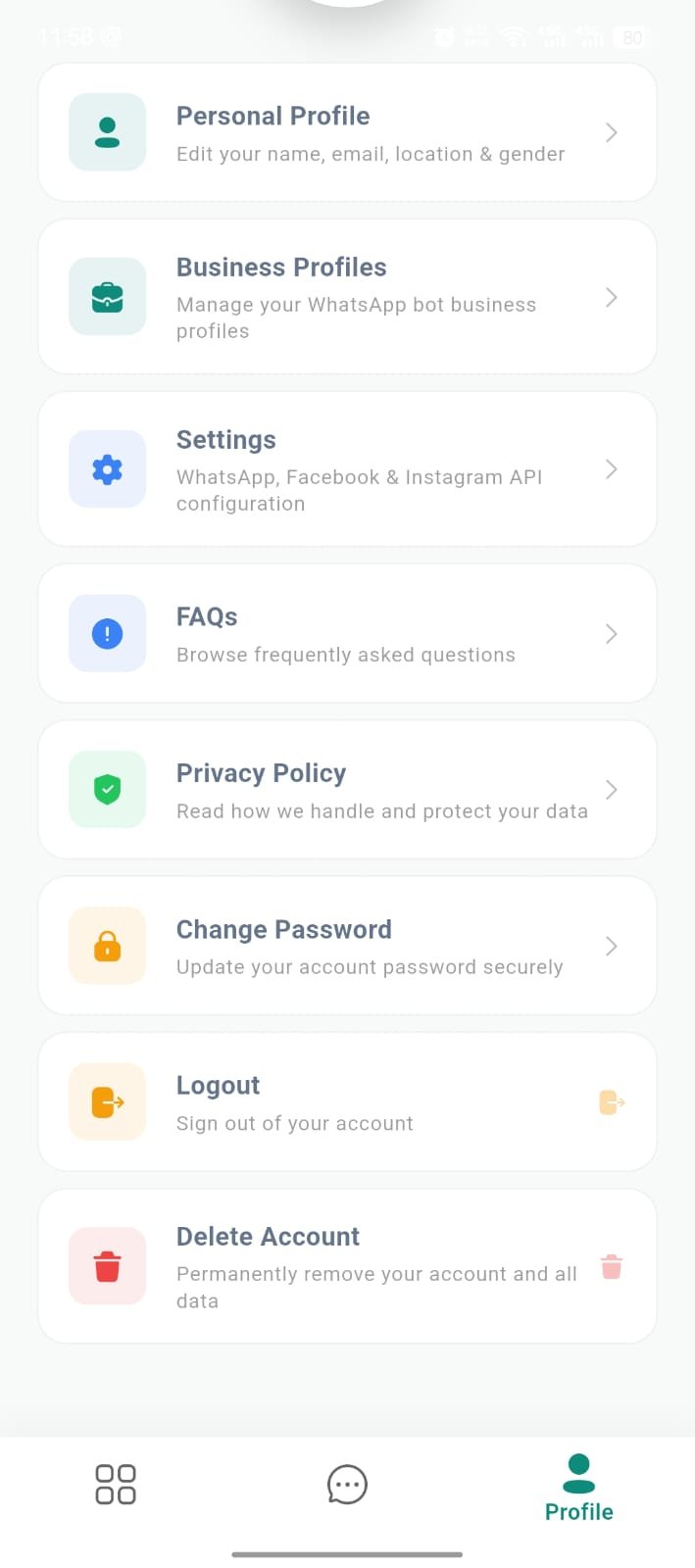
Account Settings
Navigate to account settings and select the “Delete Account” option.
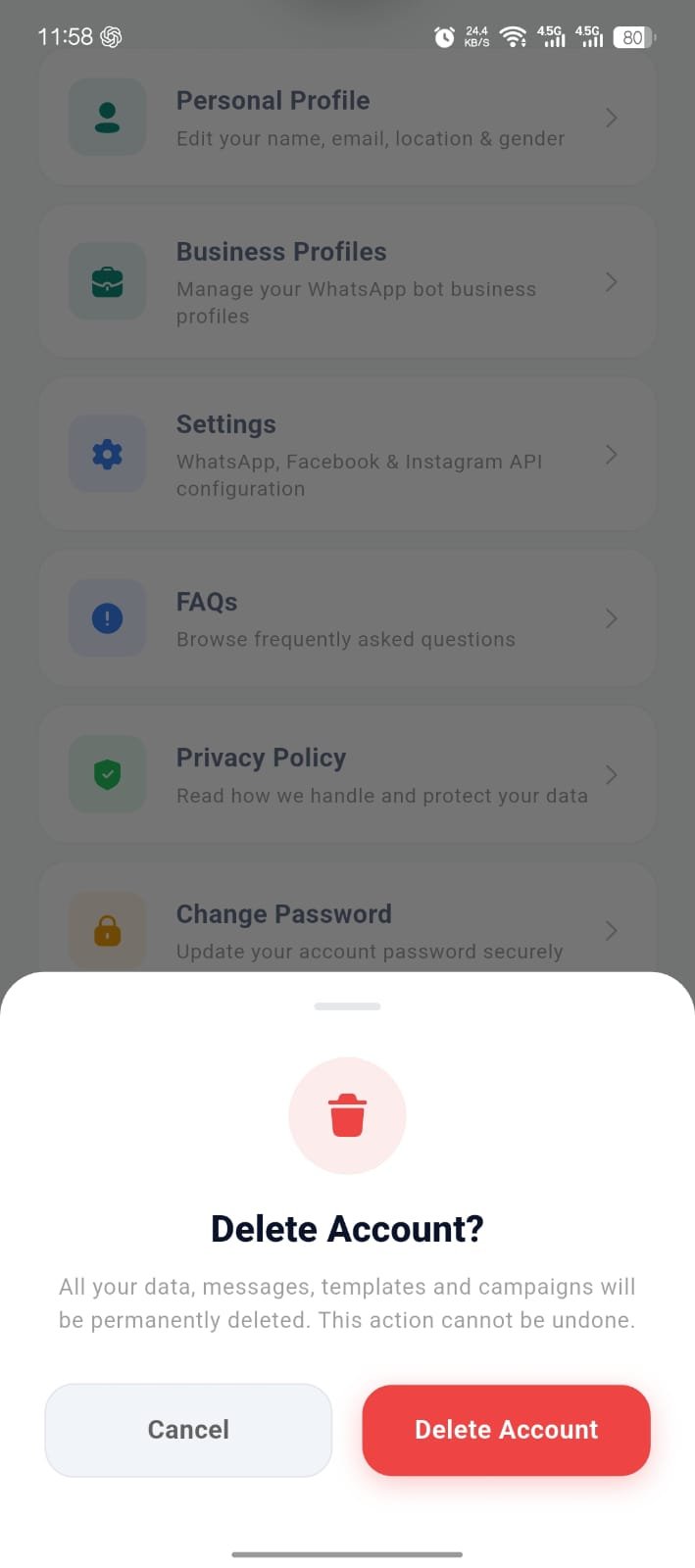
Confirm Delete
Confirm your request. Your account and all associated data will be permanently removed.
Important Notice
Once your account is deleted, all chats, contacts, workflows, campaigns, and connected business data will be permanently removed and cannot be recovered.